Training Hub 365 tracks every required course, every overdue employee, and every signed record in one place. Built on Microsoft 365.
Three outcomes your team will feel the first time the auditor asks for a report.
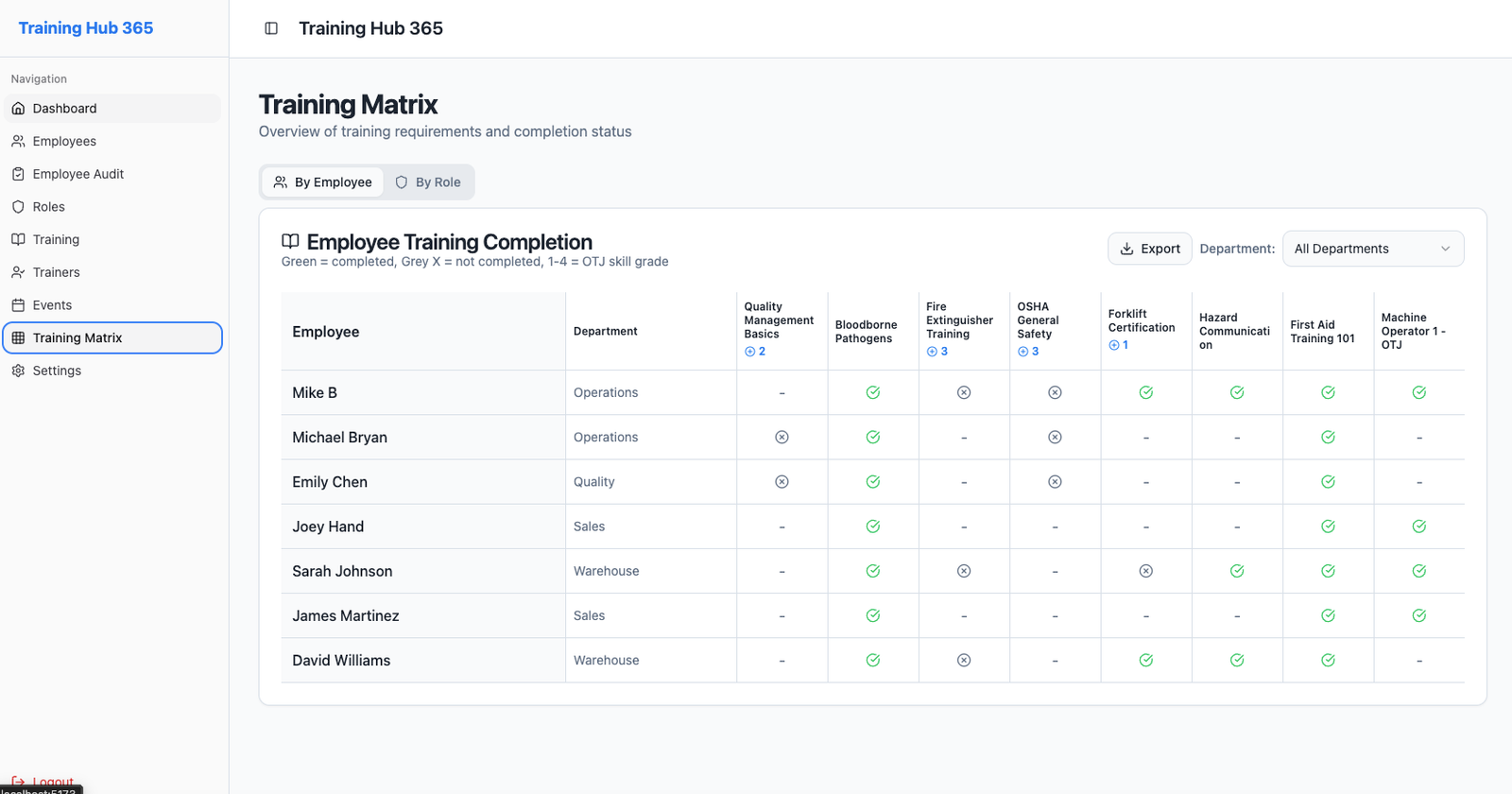
A live compliance matrix shows every employee's training status against their role's requirements. No more Friday-night spreadsheets.
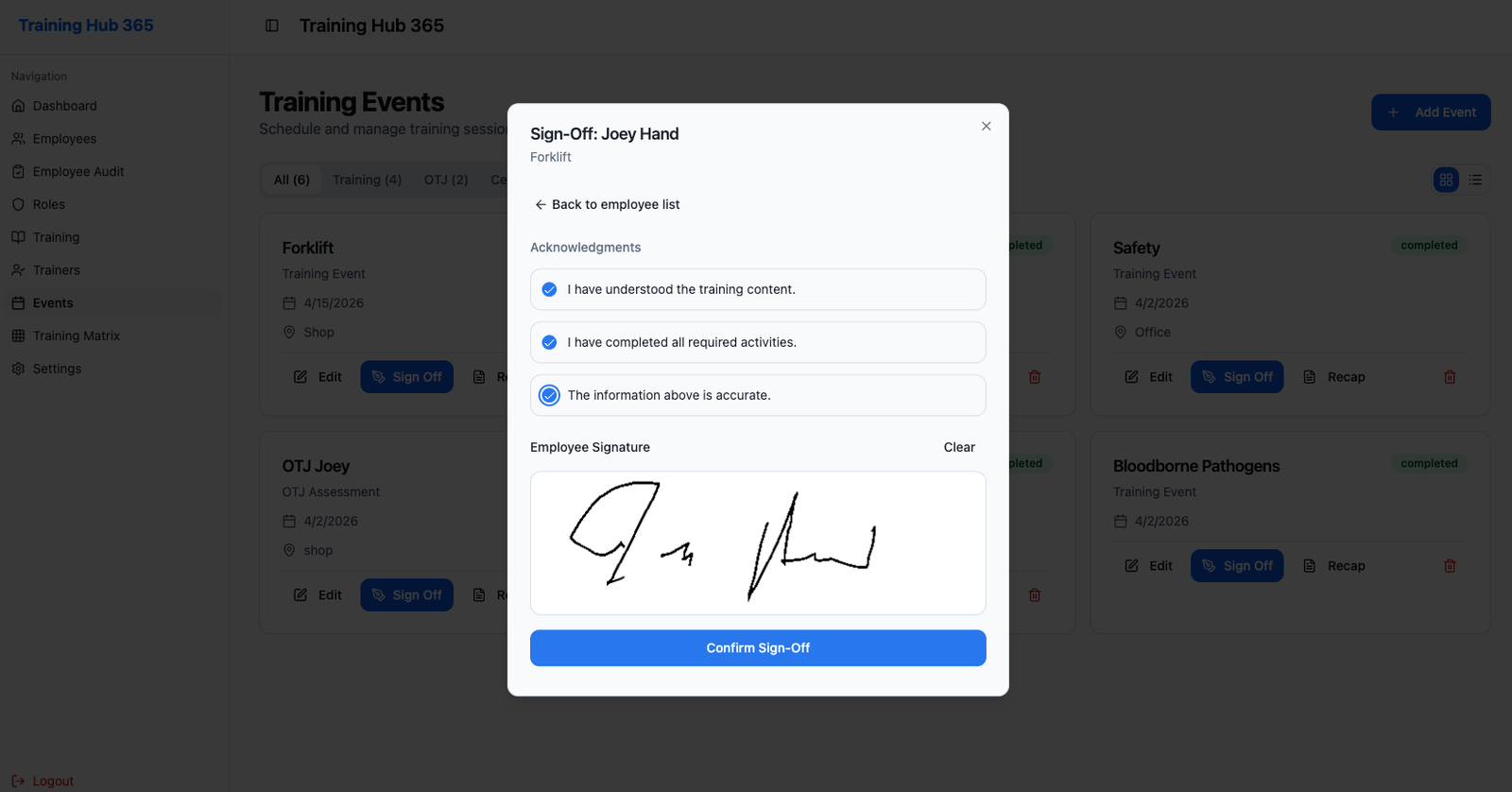
Every sign-off captures trainer and trainee signatures with a timestamp, and the full recap prints straight to the employee file.
Define the roles in your organization, attach the required courses to each one, and every new employee picks up their mandatory training automatically.
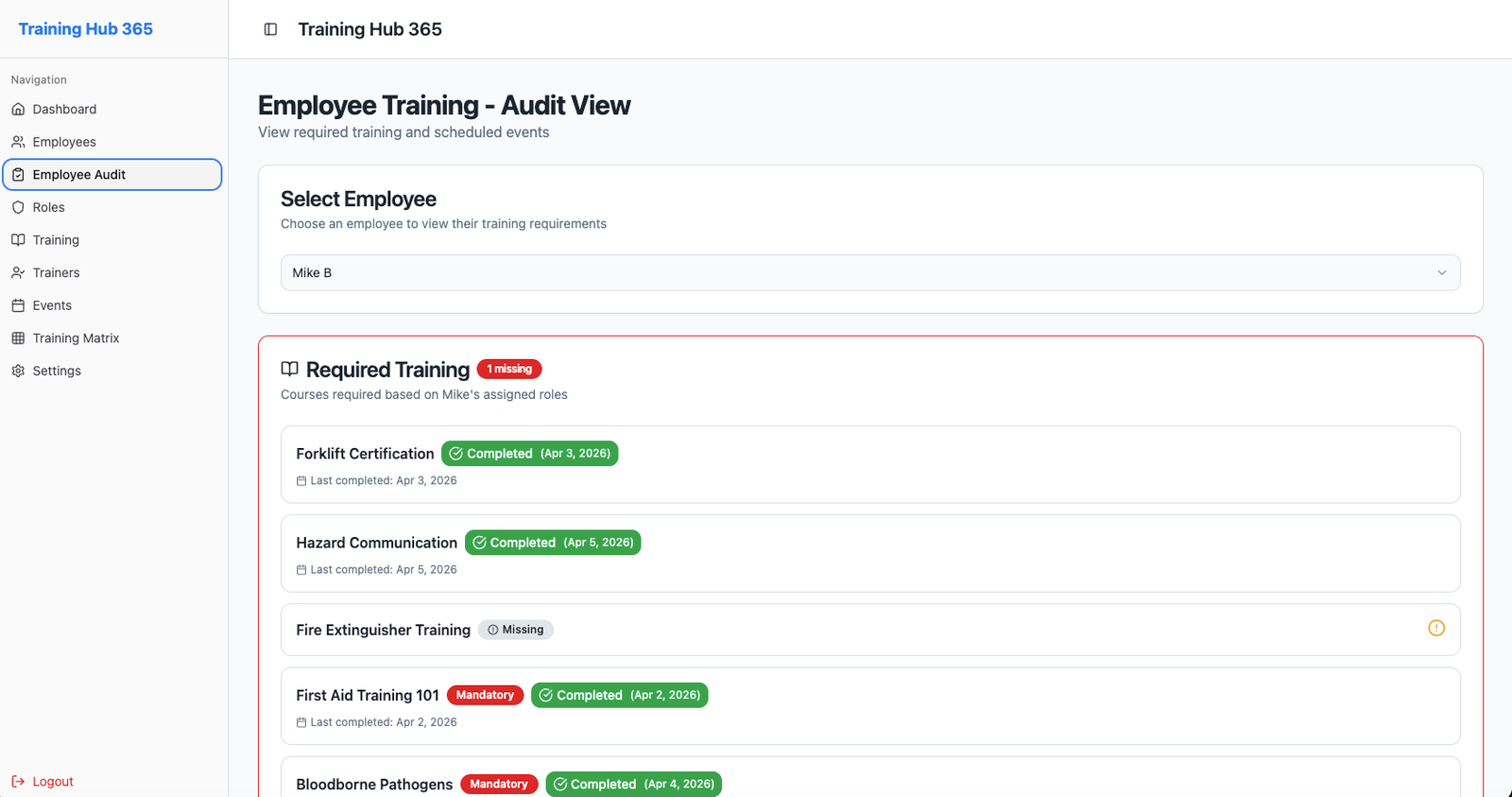
These are screens from the running app, not marketing mockups.
Filter by department. Drill into any employee. Export to Excel when you need to hand something off. The matrix updates the instant a sign-off is recorded.
Trainer and trainee sign on-screen at the end of a session. Each record is stored with a timestamp and prints as a formal recap.
Open any employee to see required courses, completions, upcoming events, and past-due items, with a direct link to every signed record behind them.
There's nothing to provision and nothing new for your team to log into. Everything runs on your existing Microsoft 365 accounts.
Install from Microsoft Marketplace. Your team signs in with their existing Microsoft 365 account. No new passwords.
Import your employees from an Excel file, set up the roles in your organization, and attach the courses each role requires.
Schedule a training event, assign the attendees, and capture signatures on a tablet when the session wraps up.
Start on a 30-day free trial without a credit card. Billed through Microsoft Marketplace and cancellable any time.
No. Training Hub 365 signs everyone in with their existing Microsoft 365 account via Azure Active Directory. Nothing new to manage.
All data lives in an Azure SQL database in Microsoft's cloud. Each tenant is isolated, and the app runs on Azure Static Web Apps with enterprise-grade security defaults.
Yes. Employees, roles, and courses import from Excel. Exports come back with dropdown validations preserved so the files stay usable.
Every sign-off captures trainer and trainee signatures with a timestamp. The full audit trail is stored per employee per course and can be printed as a recap.
Most teams capture their first sign-off on the same day they install. There are no servers to stand up and no database to provision.
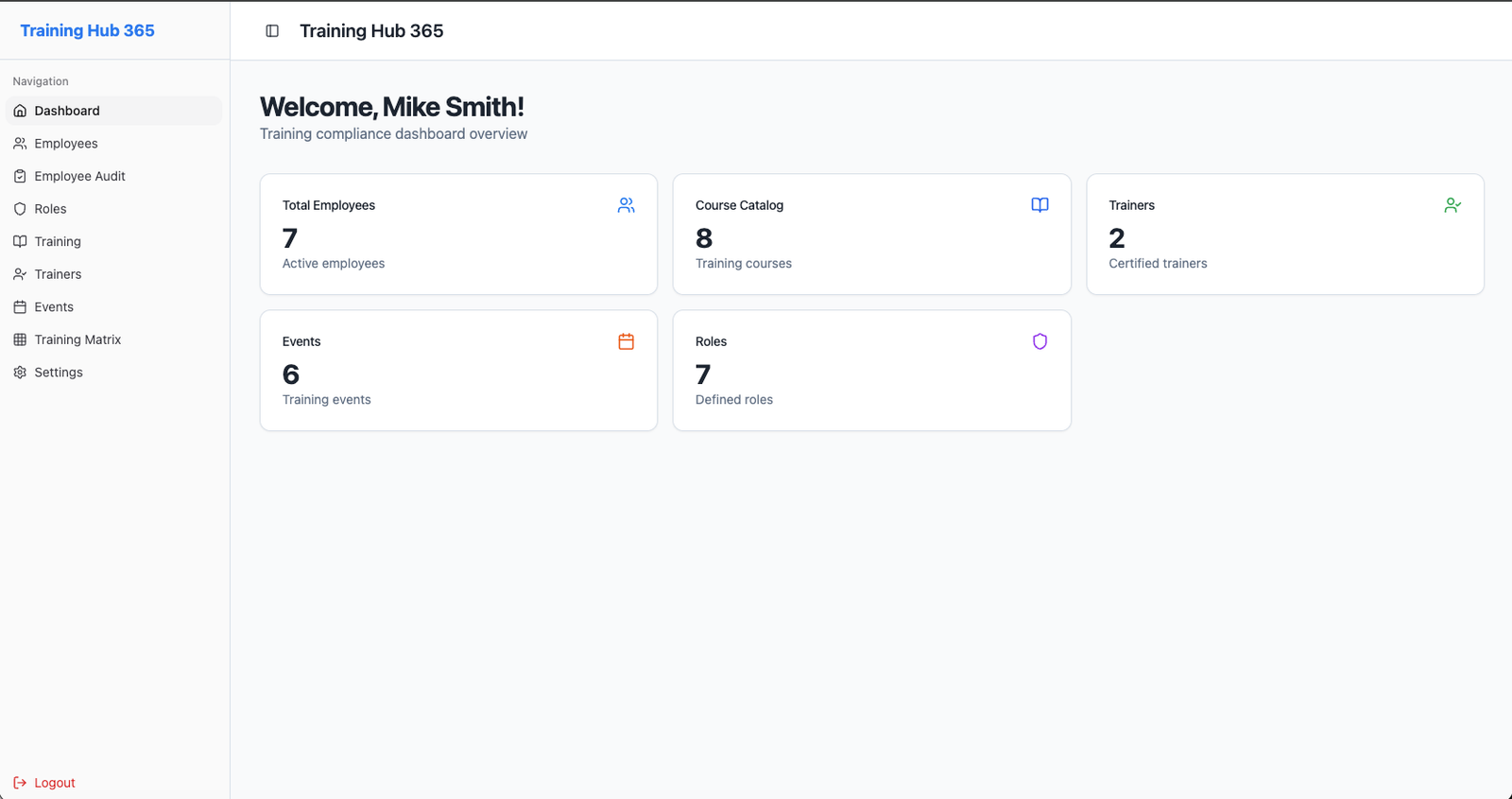
Start a 30-day free trial from Microsoft Marketplace and see your whole training program in one place.
Start free trial